
Salesforce Payments embeds a drop-in checkout component, instant wallets (Apple Pay, Google Pay, Venmo), and a real-time Payments Home workspace - all on the same platform your merch, service and CRM teams already use. The result is smoother conversions for shoppers and cleaner numbers for finance. This guide walks through the five most common checkout friction points we see in commerce implementations, and how Salesforce Payments + Lightning Checkout remove each one without custom code.
1. Multi-Step Checkout Drives Cart Abandonment
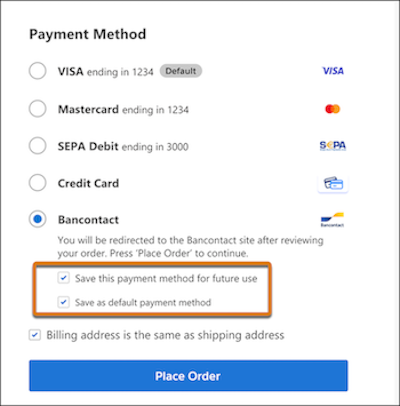
Classic checkouts ask for shipping, billing, card details, and CAPTCHA across multiple pages. Lightning Checkout fixes this by dropping the Salesforce Payments LWC into any B2C or B2B Lightning Web Runtime (LWR) storefront. You map a Payment Method Set (credit card, wallets, purchase order) in a single property panel - no custom code, no separate gateway SDK.
One-tap wallets that actually convert
Apple Pay and Google Pay surface as single-tap options, auto-filling shipping address and card tokens so mobile users reach "Order Placed" in seconds. Venmo is available for US merchants on Braintree-backed Commerce Merchant Accounts.
Edge case: headless or custom storefronts
If you're running a headless storefront (React/Next.js in front, Commerce Cloud APIs in back), the drop-in LWC won't render — you'll need to use the Salesforce Payments API directly. This is a known trade-off for the headless pattern.
2. Adding a New Payment Method Takes Weeks
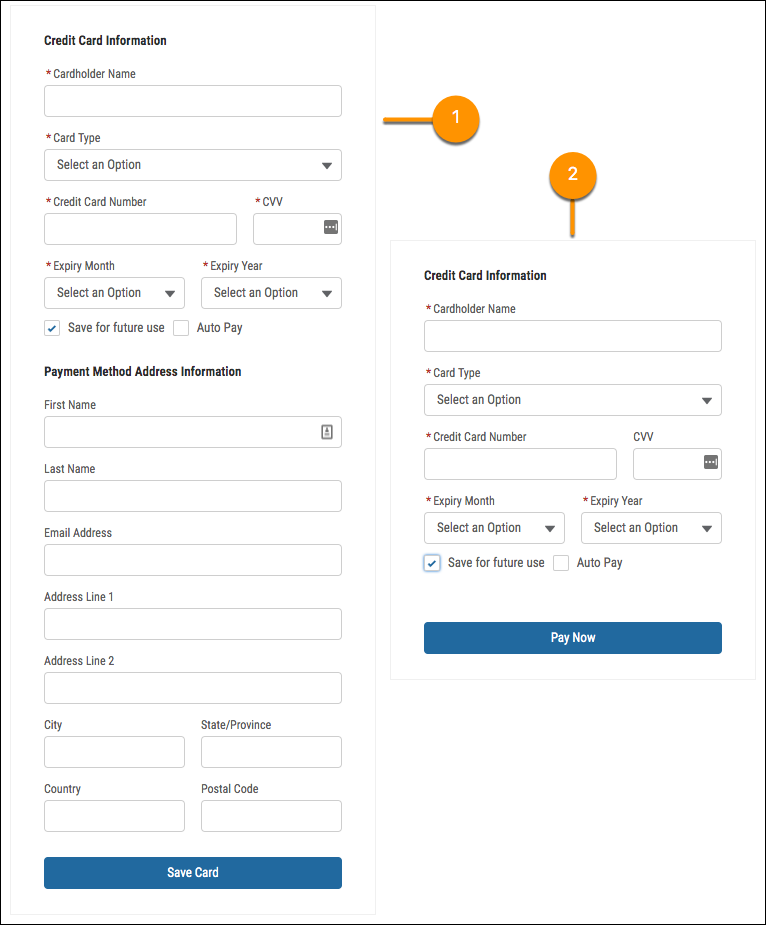
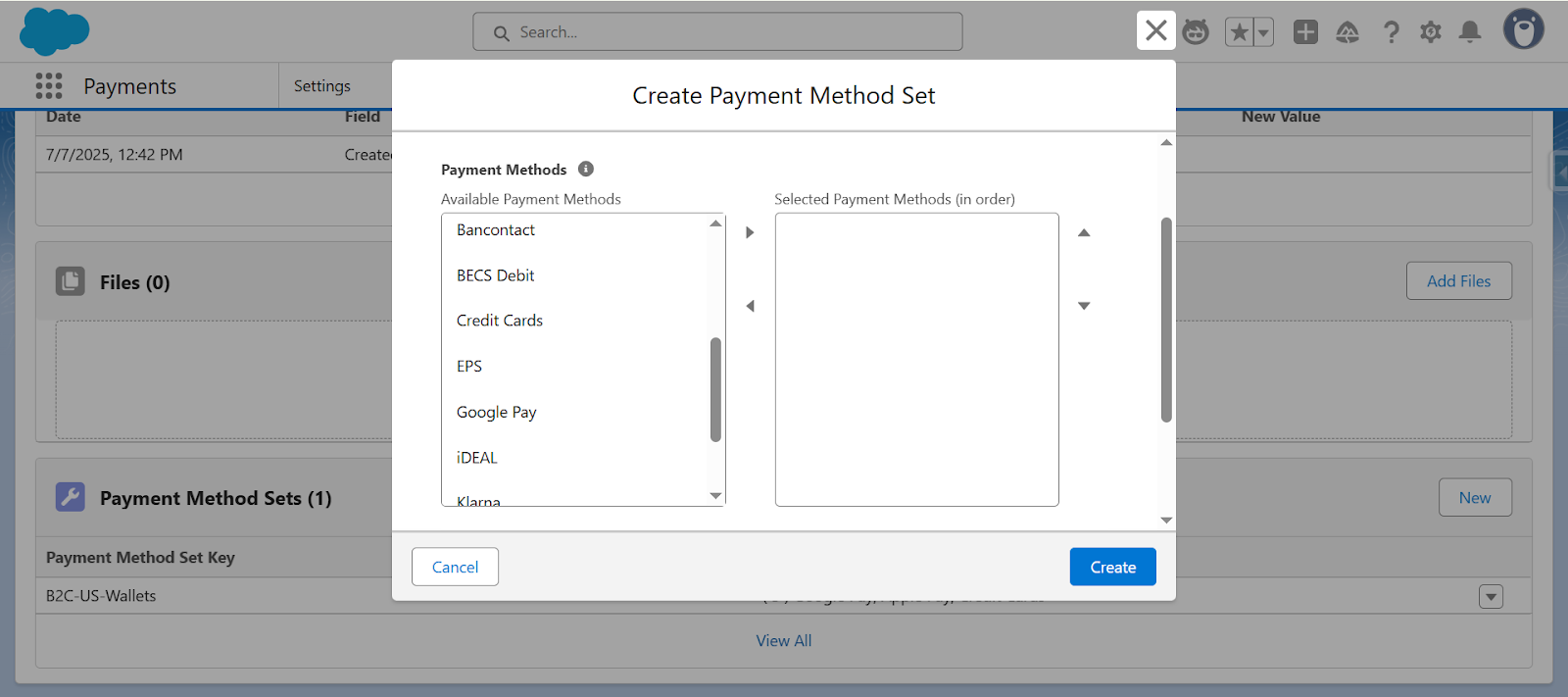
Adding PayPal, iDEAL, or a local wallet to a traditional ecommerce stack usually means weeks of gateway contracts, PCI scoping reviews, and front-end rework. For most commerce teams, this is why the list of accepted methods stays frozen for quarters at a time. With Payment Method Sets, you open your Commerce Merchant Account, go to Payments, and toggle on Stripe, PayPal, Venmo, or Apple Pay per store. The Lightning Checkout component reads the set and surfaces only the methods you enabled. No separate cartridge updates, no redeploy.
3. Failed Payments Hide Inside Gateway Dashboards
Declines or 3-DS failures hide inside gateway dashboards and marketers learn about them when customers complain.
Fix with Payments Home workspace: The All Payments / Declined list updates in real time, and you can add a custom list view filtered on Status = Error for instant triage.
Finance benefit: drill-down by decline code
Payments Home exposes decline codes directly - insufficient funds, AVS mismatch, do not honor, card expired. Finance and ops can spot issuer-specific patterns (for example, a spike in AVS mismatches from one BIN range) before they eat into revenue.
4. Separate B2B and D2C Checkout Codebases
Teams maintain separate codebases for trade accounts and consumer sites, doubling QA effort. Fix with the same Lightning component: Salesforce Payments supports both B2B and D2C LWR templates with the same Lightning Checkout component. The identical LWC picks up purchase-order terms for B2B buyers or wallets for consumers, driven by configuration - not code forks.
Finance benefit → consolidated ledger: one Payments workspace shows intent, capture and refund data across every channel.
5. Finance Can't Reconcile Order-to-Cash Numbers
Marketing dashboards end at "Placed Order." Finance trusts only the ERP. The gap between them is usually filled by CSV exports flying back and forth, and by the monthly meeting where nobody agrees on the revenue number.
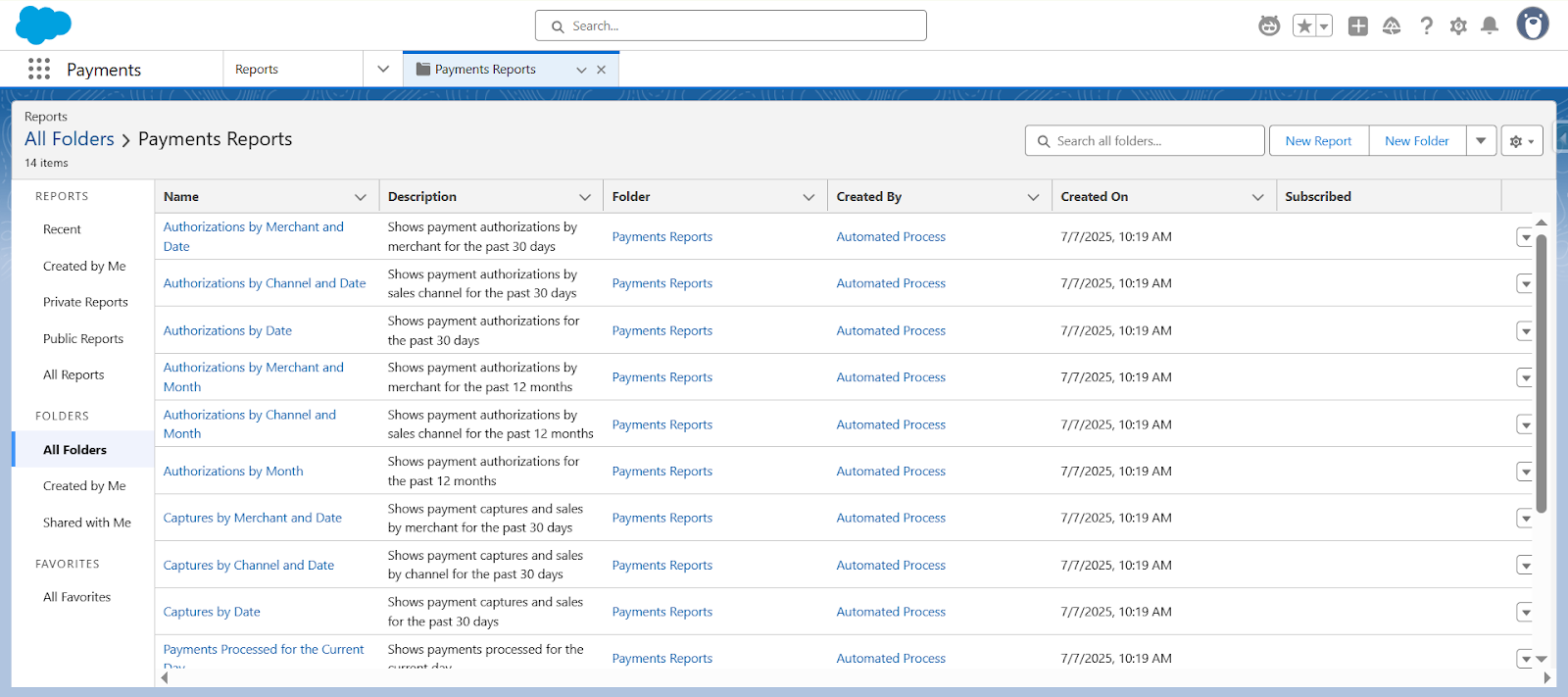
Salesforce Payments Home features Payments Reports - out-of-the-box reports capturing Merchant & Month, Refunds by Reason, Average Time to Capture, and much more. Analysts can clone and filter them (e.g., Relative Date = Yesterday) without touching SQL. It also means Finance benefit → audit-ready metrics living in the same Salesforce reporting engine they already know, complete with scheduled emails and Tableau dashboards.
Frequently Asked Questions
Is Salesforce Payments free?
- Salesforce Payments itself has no separate license fee on top of B2C Commerce or B2B Commerce, but standard gateway fees (Stripe, Braintree, etc.) still apply per transaction. Check your Commerce contract for specifics.
Does Salesforce Payments work without Commerce Cloud?
- No. Salesforce Payments is built on top of B2C Commerce or B2B Commerce on LWR. If you're running Sales Cloud or Service Cloud without Commerce, you'd use a third-party payment integration instead.
Which payment gateways does Salesforce Payments support?
- Stripe is the default and most deeply integrated option. Braintree (which owns PayPal and Venmo) and a growing set of regional gateways are also supported the full list lives in the Salesforce Payments release notes, and new gateways are added release to release.
Can I use Salesforce Payments on a headless storefront?
- The drop-in LWC requires an LWR storefront. For headless or custom-front-end setups, you can integrate with the Salesforce Payments API directly, but you lose the no-code configuration benefits.
How is this different from just using Stripe Checkout?
- Stripe Checkout gives you a hosted checkout page. Salesforce Payments gives you a configurable checkout component and a native Salesforce data model for Payments meaning Flow automation, native reporting, and the same record security model as the rest of your org.
Final Thought
By collapsing gateway integrations, wallet enablement and payment analytics into one native suite, Salesforce Payments Home + Lightning Checkout improves five of the most common friction points in commerce checkout.